Snaplume is a free, open-source screenshot and screen-recording app for Windows and Linux. Smart capture, a full editor, OCR, QR codes, video recording and compression, GIF export. 100% offline: no account, no cloud, no telemetry.
Windows 10 (2004+) and 11, x64Linux, x64 and ARM64MIT license
Why Snaplume
Everything you need, nothing you don't
One small app to capture, explain, record and share, without sign-ups or uploads.
Fast by default
Press Print Screen, click a window or drag a region: the capture is saved, named and in your gallery.
Always editable
Annotations stay editable after saving. Move that arrow or renumber those steps tomorrow.
Private by design
No account, no cloud, no telemetry, no ads. Your screenshots never leave your PC.
Free forever
MIT licensed and built in the open with C#, .NET 10 and Avalonia.
Tour
A closer look
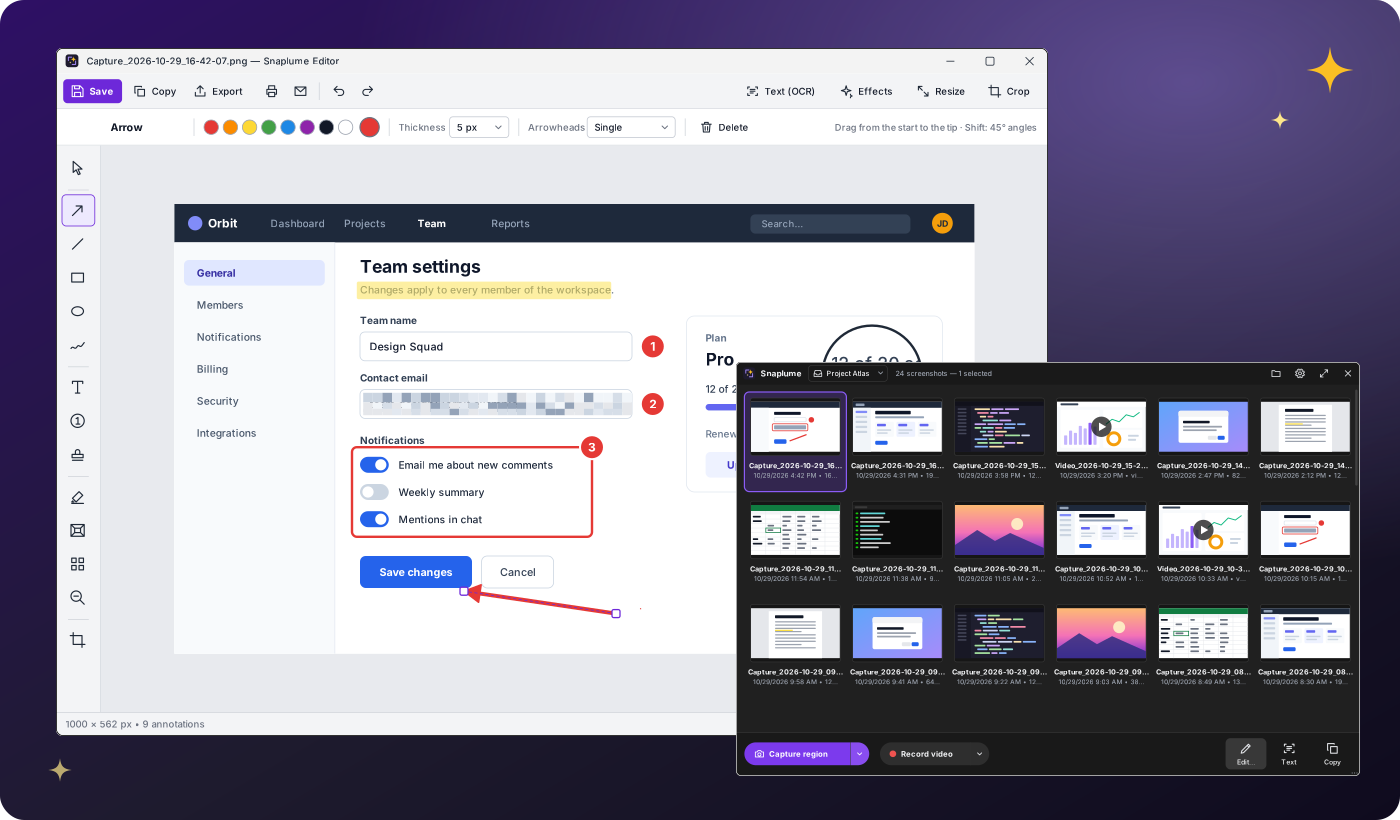
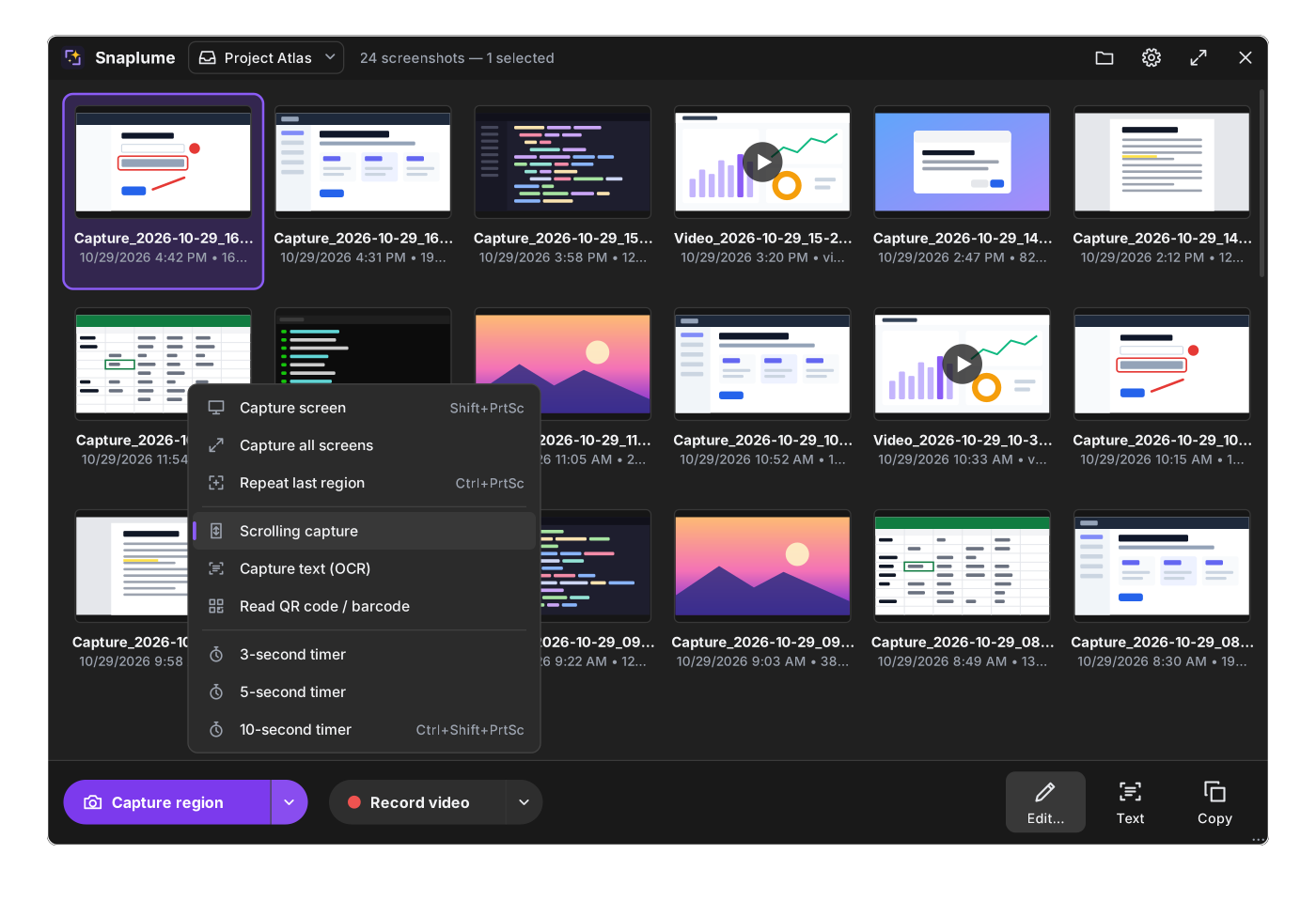
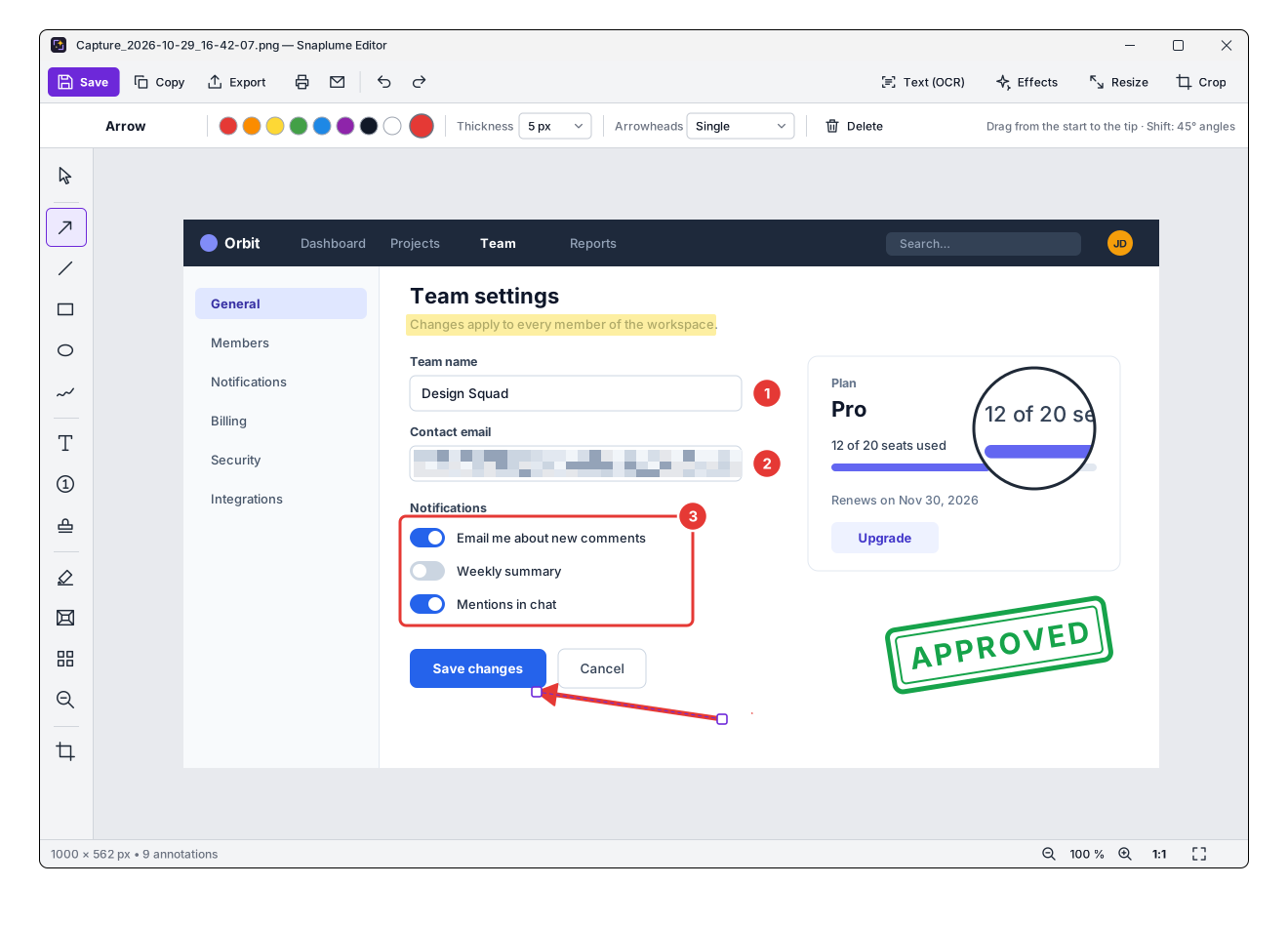
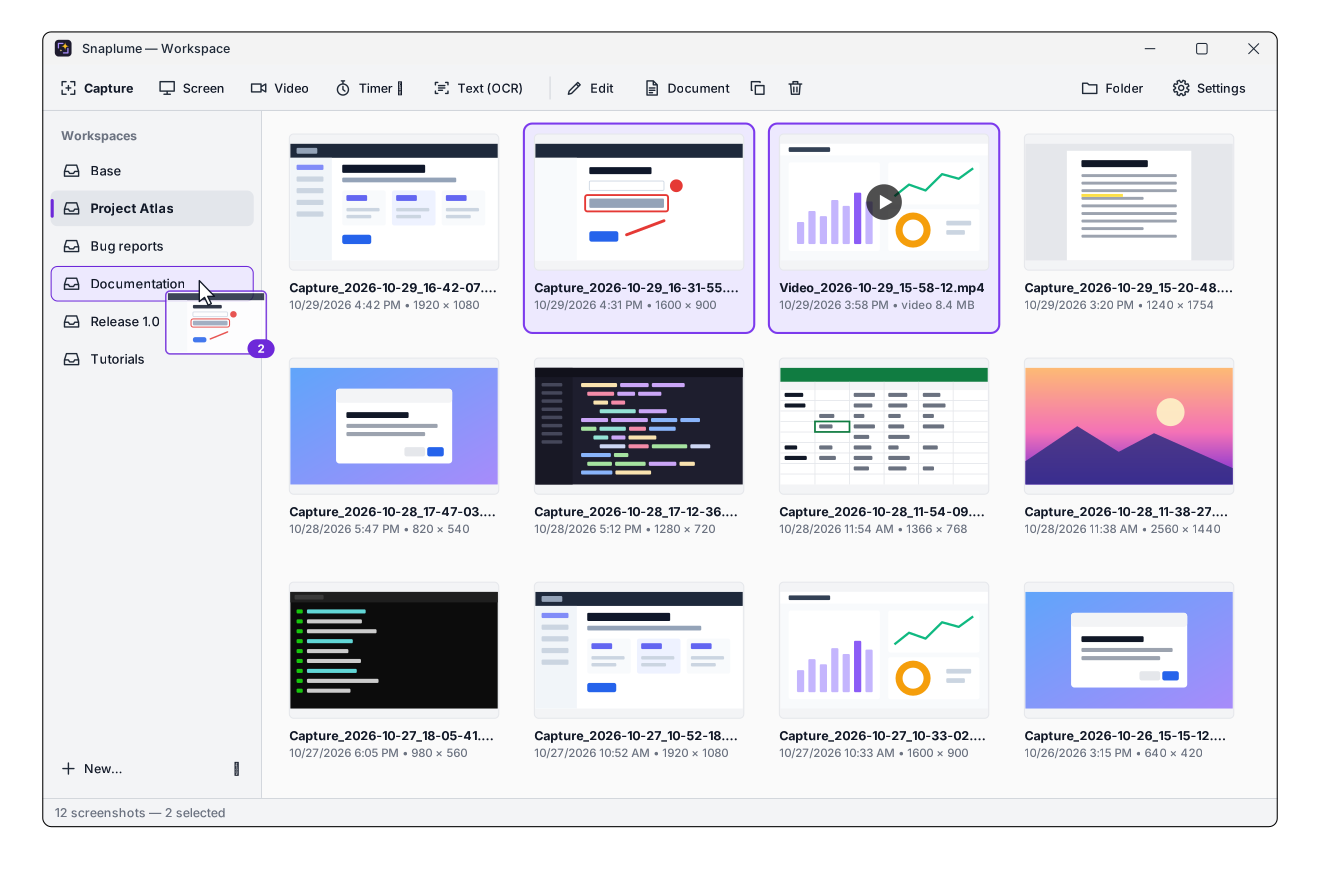
Vector mockups drawn from the real interface.
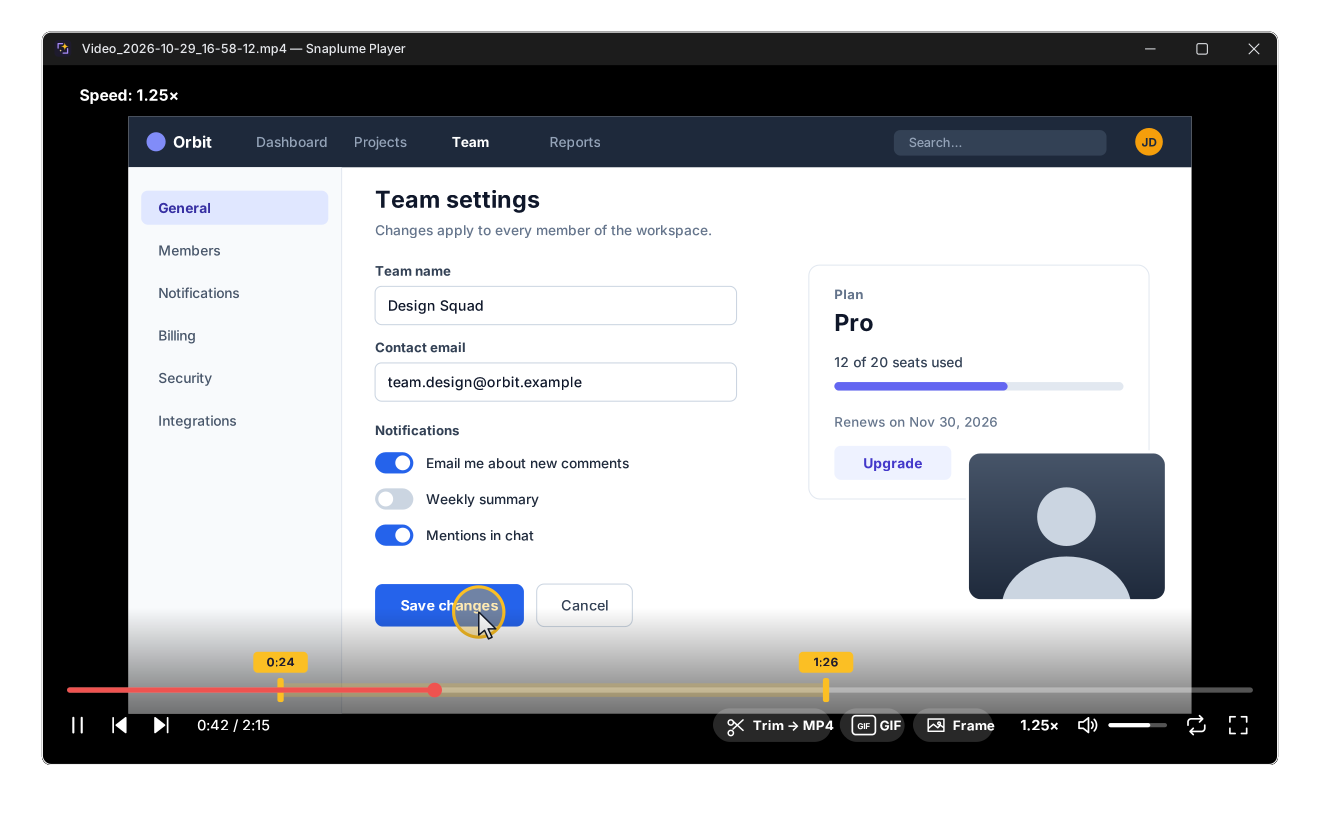
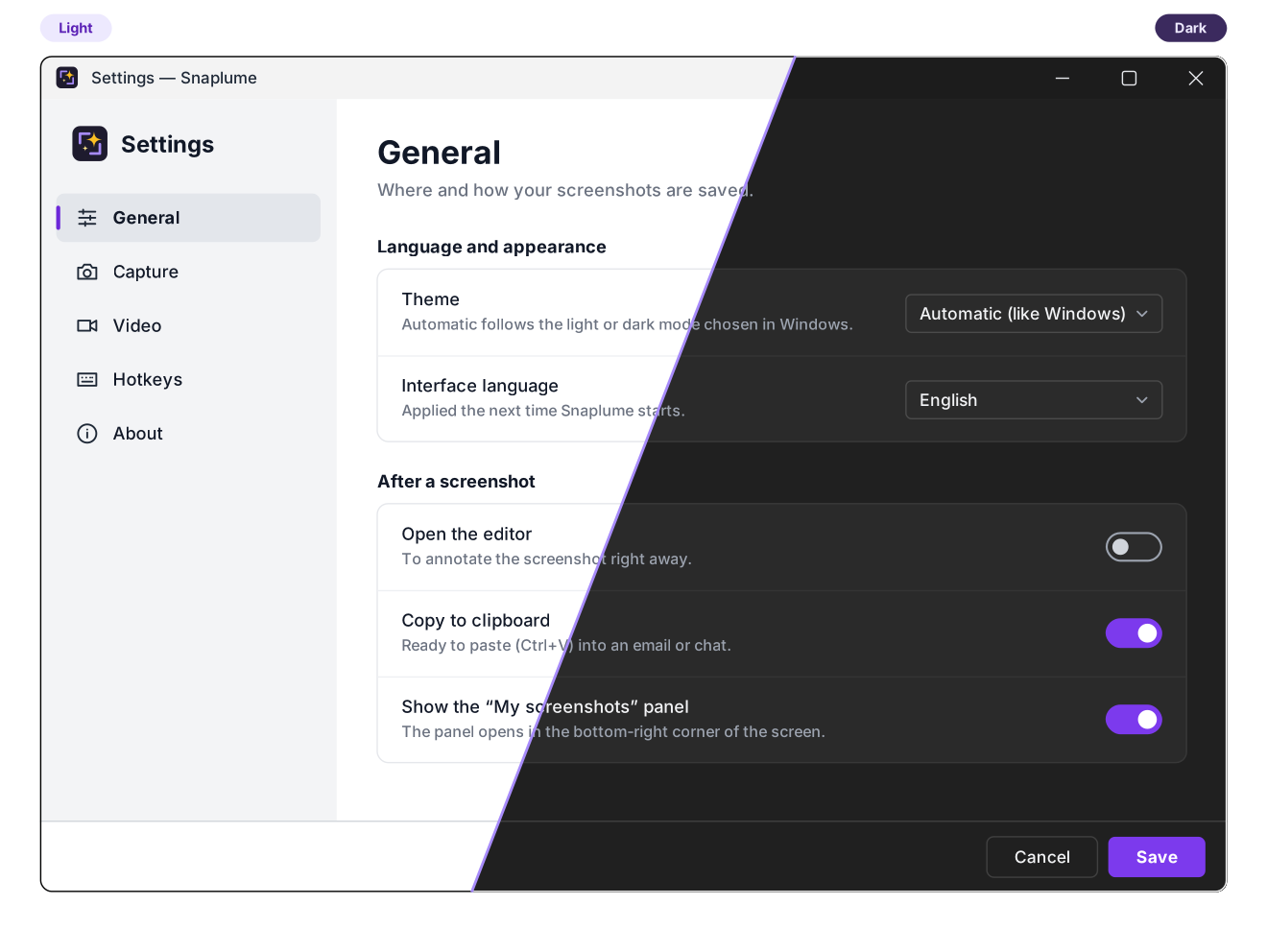
Quick panel. Capture, record, edit, read text and copy from the corner of your screen.Editor. Arrows, steps, stamps, pixelate, spotlight, magnifier, effects and more.Workspaces. One folder per project, wherever you like; drag captures between them.Video player. Trim to MP4, export a GIF or save a frame.Light and dark. Or automatic, following your system.
Features
From a quick snip to a step-by-step guide
Everything below works offline, on Windows and Linux. Only the H.265, AV1, WebM and animated WebP video formats need the optional ffmpeg module.
Capture
Region, window or control detection, with a magnifier
Full screen, all screens, active window, repeat last area
Timer for menus and tooltips
Scrolling capture with automatic stitching
Option: Win+Shift+S opens Snaplume instead of the Snipping Tool
Text and codes
Capture text (OCR) straight to the clipboard
Read the text of any existing capture
QR code and barcode reading
Windows OCR engine, or Tesseract on Linux, fully offline
Insert images: paste, open, drag and drop or capture
Borders in one click: outline, frame, shadow, rounded corners, torn edges, with transparent corners
Crop, resize, presets per tool, undo / redo, always-editable annotations
PNG, JPEG, WebP, BMP, print, e-mail
Video
Record a region, a window's area or a screen
Options bar before recording: microphone, system sound, webcam, zoom on clicks, area size
MP4 H.264 or H.265, AV1, WebM, with a quality or a maximum size
Export / compress to H.265, AV1, WebM or animated WebP under a size, like Discord's 10 MB
Built-in player: trim, GIF and frame export
Optional ffmpeg module for the web formats, downloaded on demand
Organize and share
"My screenshots" panel with the workspaces in a side panel
Workspaces in any folder: another drive, a project, a network share
Drag captures into mail, chat and documents
Document generator: PDF, Word (DOCX), HTML
Print or e-mail a selection of captures
Made for everyone
Windows and Linux (X11 or Wayland)
6 languages, including Arabic (right to left)
Light, dark or automatic theme
Installer, portable, MSI, .deb or .rpm; configurable hotkeys
In-app updates, verified by SHA-256
Scriptable command line
100%
offline. For real.
Your screenshots, recordings and settings are plain files on your PC, in folders you choose. Snaplume goes online only when you ask, and only to GitHub.
No account and no sign-in
No cloud upload, no sharing links
No telemetry, no analytics, no ads
Network only on request, only with GitHub: update check, update download, optional ffmpeg module
Every download verified by SHA-256 before use
OCR and QR decoding run locally
E-mail goes through your own mail client
Open source: read every line on GitHub
Languages and themes
Speaks your language, matches your system
The interface follows the system language automatically, or the one you pick, and the theme can follow the system's light or dark mode.
English
Français French
Deutsch German
Español Spanish
Italiano Italian
العربية Arabic, right to left
Download
Get Snaplume
Windows 10 version 2004 or later, or Windows 11, 64-bit; or a recent Linux distribution, x64 or ARM64. No .NET installation needed.
Windows
Installer
Snaplume-Setup-<version>.exe
Classic setup with a Start menu shortcut and an uninstaller. Recommended for most users.
Deploying to many PCs? Each release also ships Snaplume-<version>-x64.msi, an all-users MSI package for Intune, Group Policy or msiexec /qn.
Windows SmartScreen warning? The builds are not code-signed yet, so Windows may say it "protected your PC" the first time. Click More info › Run anyway. Each release ships a SHA256SUMS.txt file to verify your download.
Linux
Debian, Ubuntu…
snaplume_<version>-1_amd64.deb (or arm64)
Install it with sudo apt install ./snaplume_<version>-1_amd64.deb. GStreamer, ffmpeg and Tesseract come with it.
Using Wayland? (the default on Ubuntu and Fedora) Captures and recordings go through the system's portals, which ask for your permission once. Windows are not detected under the mouse (drag to select) and clicks are not highlighted in videos. Global shortcuts need KDE or GNOME 48+ (elsewhere, bind a system shortcut to snaplume --capture region), and on GNOME the tray icon needs the AppIndicator extension. An X11 session has every feature. Verify your download with SHA256SUMS-linux.txt.
Shortcuts
Keyboard first
Default global hotkeys, all configurable in the settings.
Action
Shortcut
Region, window or element
Print Screen
Full screen
Shift + Print Screen
Active window
Alt + Print Screen
Repeat last region
Ctrl + Print Screen
Region with timer
Ctrl + Shift + Print Screen
Start / stop a video
Ctrl + Alt + Print Screen
Region, instead of the Snipping Tool (Windows, option in Settings › Hotkeys)
Win + Shift + S
# Scriptable command line (snaplume on Linux)
Snaplume.exe --capture screen --exit
Snaplume.exe --capture region --delay 5 --workspace "Bug reports"
Snaplume.exe --capture scrolling
Snaplume.exe --record screen --duration 30 --exit
FAQ
Questions and answers
Is Snaplume really free?
Yes. Snaplume is open source under the MIT license: free for personal and commercial use, with no ads, no trial and no premium tier.
Is Snaplume still 100% offline?
Yes. There is no account, no cloud, no telemetry. Snaplume goes online only when you ask, and only to GitHub: to check for a new version (from Settings › About, or daily if you turn that on; off by default), to download an update, or to fetch the optional ffmpeg module. Each download is checked against a SHA-256 before it is used. Text recognition (the Windows OCR engine, or Tesseract on Linux) and QR codes run locally.
Does Snaplume run on Linux?
Yes, since version 1.2: a .deb package for Debian and Ubuntu and an .rpm for Fedora, on x64 and ARM64. An X11 session has every feature.
Under Wayland, the system's portals ask for your permission the first time; windows are not detected under the mouse (drag to select) and clicks are not highlighted in videos; global shortcuts need KDE or GNOME 48+ (elsewhere, bind a system shortcut to snaplume --capture region); on GNOME, the tray icon needs the AppIndicator extension.
What is the optional ffmpeg module, and why is it not included?
It adds the video formats H.265, AV1, WebM and animated WebP. Recording, MP4 H.264, compression to a maximum size and GIF export work without it, so it stays out of the download: about 81 MB that most people never need.
On Windows, install it from Settings › Video: Snaplume downloads an LGPL build and checks it against a SHA-256 written in the app before installing it. An ffmpeg already in your PATH is used as is. On Linux, the system's ffmpeg is used.
How do I update Snaplume?
Settings › About checks for a new version. Download and install fetches the package that fits your installation (installer, MSI, portable zip, .deb or .rpm) into a folder of your own, checks its SHA-256 against the published list, and checks it again right before installing it.
Why does Windows show a SmartScreen warning?
The executables are not code-signed yet, so SmartScreen does not recognize them. Click More info › Run anyway. You can compare the file with SHA256SUMS.txt from the release, or build Snaplume yourself from the source code.
The Print Screen key opens another tool. What can I do?
A hotkey can belong to only one application, and Snaplume tells you when one is taken. Quit the other tool or pick other shortcuts in Snaplume's settings. On Windows 11, also turn off Settings › Accessibility › Keyboard › Use the Print screen key to open screen capture. To use Win+Shift+S for Snaplume, turn on the option in Settings › Hotkeys.
Where are my captures saved?
In Pictures\Snaplume by default (you can change it), as regular PNG, JPEG, WebP or MP4 files. Each workspace is a sub-folder, or any folder you choose: another drive, a project folder, a network share. Removing a workspace that has its own folder never deletes your files. Annotations are kept beside them in a hidden .snaplume folder so they stay editable.
What is the portable version?
A zip you can run from anywhere, including a USB stick, without installing anything. An empty file named portable next to Snaplume.exe keeps the settings in that folder.
Which systems are supported?
Windows 10 version 2004 (May 2020 Update) or later and Windows 11, on 64-bit (x64) PCs; and recent Linux distributions, in an X11 or Wayland session, on x64 or ARM64.
How can I help?
Report bugs, suggest ideas, translate the interface or send pull requests on GitHub. Each language is a single JSON file.
 Snaplume